
Feature detail
Available by rollout scopeExam, marks, promotion, and report-card workflows inside the same school ERP.
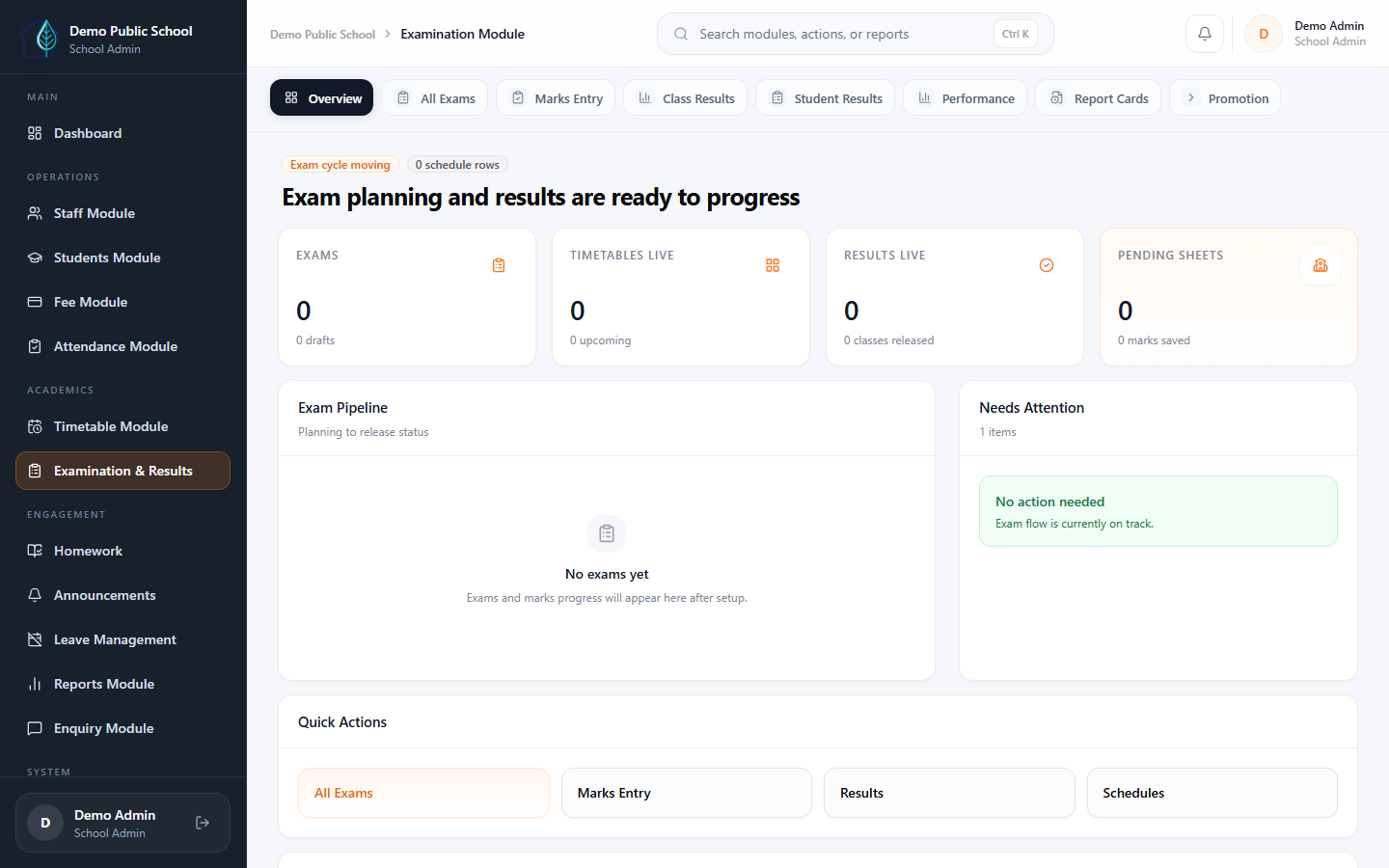
Eduforge supports exam scheduling, marks entry, result release, promotion, and report card publishing based on school rollout scope and final requirements. This module is enabled during onboarding based on your school's needs.
Academic visibility
Create exams, manage class-wise schedules, generate timetable PDFs, and control class-wise result release in the same workspace.
Step-by-step exam flow
Schools can see how exam scheduling, timetable publish, marks entry, and class-wise results connect before report cards are unlocked.
Controlled result release
Results stay blocked until marks are complete for that class. Principals can publish results once each class is ready.
Report card control
Report card formats, publishing rules, PDF outputs, and bulk downloads can be configured based on the school's rollout scope.
What schools get
Academic workflow from exam setup to published report cards.
Eduforge supports exam setup, schedule planning, timetable publishing, marks entry, class-wise result release, promotion, and report card generation - enabled based on your school's rollout scope.
Exam workflow direction
Create exams, revise schedules manually or through a guided schedule builder, preview the timetable first, then save only after approval.
- Preview-first schedule flow
- Manual and assisted planning workflows
- Timetable PDF generation
Result and performance visibility
Timetable publish is separate from result publish, and class-wise result release stays blocked until marks are complete for that class.
- Class-wise result release
- Pending-subject guardrails
- Principal can publish results, not timetables
Report-card readiness
Report cards stay previewable before publish, then unlock final view, single PDF download, remarks, and bulk downloads after class results are published.
- Controlled final access
- Single PDF and bulk ZIP generation
- Admin remarks and principal view access
Honest rollout expectations
This module is available and enabled based on school rollout scope and final requirements. Schools can start with core operations and add academic workflows when the team is ready.
- Enabled during onboarding based on your school's needs
- Discuss requirements during your demo
- Academic rollout after core workflows are stable
Next step
Want to add exam and report card workflows to your Eduforge rollout?
Book a demo to discuss your school's academic requirements and understand how exam, results, and report card workflows can be enabled for your setup.